What You Need to Know Before You Download Anything
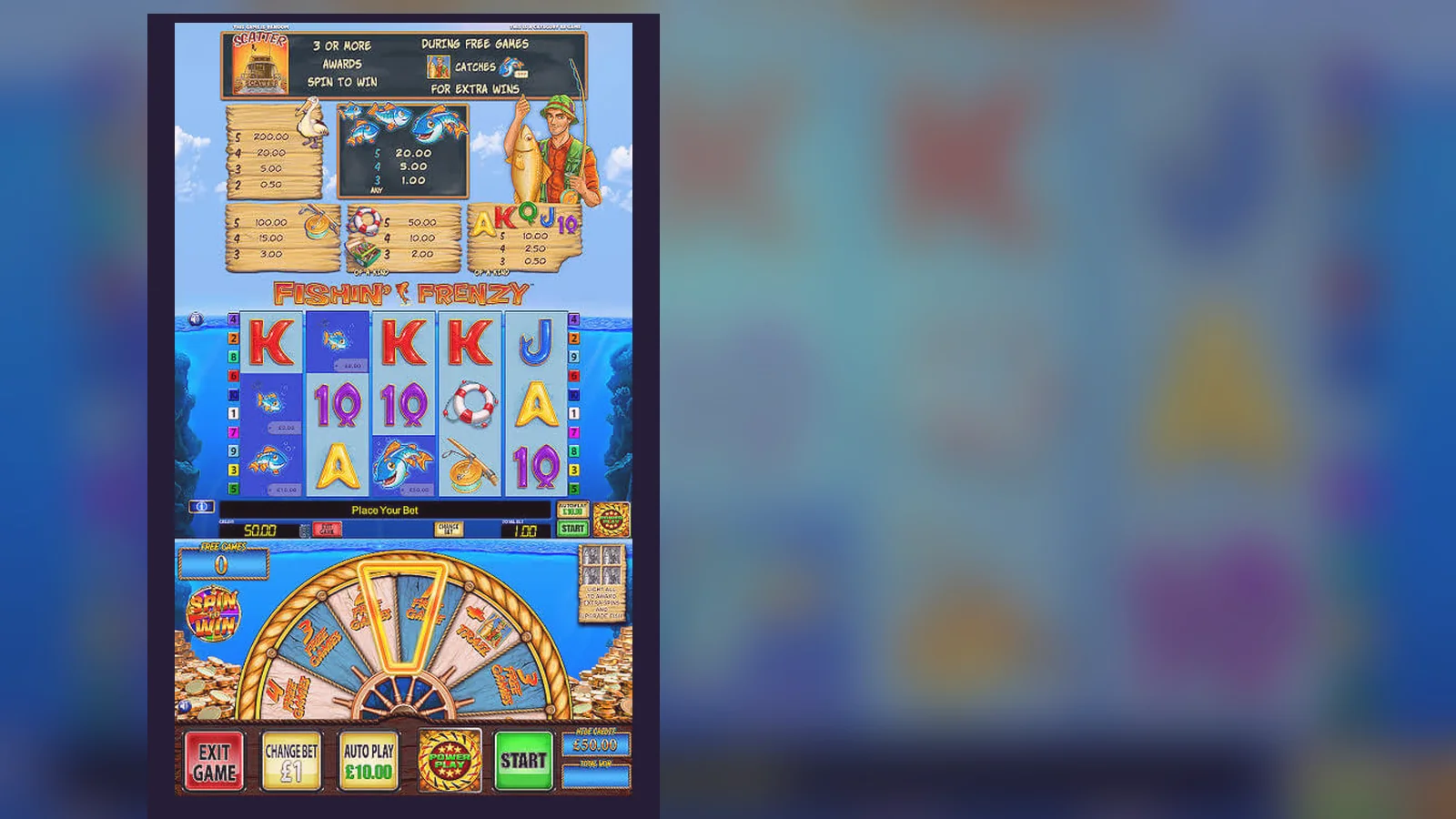
Here's the uncomfortable truth: Fishin' Frenzy doesn't have a standalone app in the App Store or Google Play. It's a slot game, and slots live on casino sites — not as separate downloads. What you will find are casino operator apps that host the game, or web-app shortcuts that open the site in a full-screen wrapper. The rest — APK files promising «the original game», standalone apps with cartoon fish logos — are clones, ad traps, or worse.
This page walks through what actually exists, how to install it safely, what the support desk hears most often, and how to spot the fakes. If you're here because you searched «Fishin' Frenzy app download UK», you're asking the right question; the answer just isn't what the search results suggest.
The Store Card That Doesn't Exist (But Here's What It Would Look Like)
If Fishin' Frenzy were a standalone app, this is the information you'd see. Use it as a reference when you're comparing operator apps or checking file sizes — real casino apps sit in this range, and anything claiming to be «just the game» at 8 MB is lying.
Four Ways to Get the Game on Your Phone (and What Each One Actually Does)
Support hears this daily: «I can't find the app.» That's because you're looking for the wrong thing. Here are the real paths, risks included.
- Browser play (no install): Open Safari or Chrome, navigate to a UKGC-licensed casino, log in, search for Fishin' Frenzy, tap Play. The game runs in the browser tab. Risk: None, other than the usual deposit temptation. You can close the tab when you're done. No storage used, no permissions asked.
- Add to Home Screen (web app): From the casino site in Safari, tap the Share icon, then «Add to Home Screen». On Android, Chrome will prompt «Install app» if the site supports it. You get an icon that opens the casino in full-screen mode, no browser chrome. Risk: Still the casino's website, just wrapped. If the site's licence lapses, the shortcut stops working. Check the UKGC register before you treat it like a native app.
- Operator app (App Store / Google Play): Download the casino's official app — Sky Vegas, Gala Bingo, Paddy Power Games — and search for Fishin' Frenzy inside. The app is a container; the game runs in a WebView. Risk: Operator apps ask for notification permissions and location (for geofencing, to confirm you're in the UK). Decline if you don't want alerts. The app itself is safe if it's from a licensed operator, but you're still playing the same HTML5 game.
- APK sideload (Android only): Download an APK from a third-party site, enable «Install unknown apps» in Settings, run the installer. Risk: High. APKs outside the Play Store bypass Google's malware scanning. Most «Fishin' Frenzy APK» files are reskinned demo slots with ad injections, or worse — spyware that logs your card details when you try to «top up». One support ticket described an APK that asked for SMS permissions and subscribed the user to a £4.50/week quiz service. If you're doing this, you're gambling with your phone, not just your stake.
Screen-by-Screen: What You'll Actually See
Here's what the install and first-launch flow looks like for the web-app path (add to home screen), which is the most common question in the inbox.
- Casino lobby screen: A grid of game tiles, search bar at the top, filters for «Slots», «Jackpots», «New». Fishin' Frenzy usually sits in the «Popular» or «Blueprint» category. Tap the tile. If you're not logged in, you'll hit a login wall — UK sites require age verification before they show real-money controls, even for demo mode on some platforms.
- Game loading screen: Blueprint's logo, a progress bar, sometimes a «Loading game assets» message. Takes 3–8 seconds on 4G, faster on Wi-Fi. The game opens in portrait or landscape depending on your screen orientation; most players rotate to landscape for the 5×3 grid.
- Base game view: Five reels, three rows, the fishing boat at the top, blue water background. Stake controls at the bottom (coin value, bet level, total stake displayed as £0.20 to £5.00 for over-25s, £0.20 to £2.00 for 18–24-year-olds — the site reads your age from KYC records and caps the controls automatically). Spin button on the right, autoplay and paytable icons on either side.
- Free spins screen: Triggered by three or more scatter symbols (the fisherman). The screen transitions to a brighter, more animated background, «Free Spins» banner, and a counter showing spins remaining. Fish symbols turn wild during this round, and the net appears if you land the fisherman again. This is the high-variance segment — you'll see £0.00 spins and then a £47.50 hit in the same sequence.
- Balance and history footer: Current balance (e.g., £23.40), last win (e.g., £1.80), session time, and a «Responsible Gaming» link that opens deposit limits and GAMSTOP info. The footer is always visible, even in full-screen mode. If you tap the balance, it expands to show deposits, bets, and wins for the session.
What Your Phone Actually Needs (and What Happens When It's Not Enough)
Fishin' Frenzy is HTML5, so the requirements are tied to your browser's rendering engine, not a native app. Here's the practical floor and what breaks first when you're below it.
- Operating system: iOS 13 or later (Safari), Android 8 or later (Chrome). Older versions can load the game, but animations stutter and the spin button sometimes registers double-taps as a single press, which means you lose a spin without seeing the result. One player on iOS 12 reported the free-spins counter freezing at 3 remaining, but the spins continued in the background — disconcerting when you're watching your balance drop with no visual feedback.
- RAM: 2 GB minimum, 3 GB comfortable. On 1 GB devices, the game loads but reloads the lobby if you switch apps mid-session, which means you lose your autoplay queue. Android's memory management is more aggressive, so budget phones (under £150 new) often kill the browser tab after 10 minutes of inactivity.
- Screen: 5-inch diagonal minimum for portrait, 6-inch preferred for landscape. The paytable and bet controls are cramped on anything smaller — you'll tap the wrong coin value or open the menu when you meant to spin. Not a safety issue, just irritating.
- Connection: 3 Mbps down, 1 Mbps up. The game itself is small (12 MB), but the operator's session keepalive and balance updates run over WebSocket. On slow or unstable connections (rural 3G, crowded Wi-Fi), you'll see «Connection Lost» overlays mid-spin, and the result might take 10–15 seconds to resolve server-side. Your stake is never lost — the server knows the outcome before your screen does — but it's unnerving.
- Storage: 50 MB free for the browser cache. The game doesn't install files, but Safari and Chrome cache assets locally. If your storage is full, the cache fails, and the game re-downloads textures on every load, which burns mobile data and adds 5–10 seconds to startup.
Version Notes and What Actually Changed
Blueprint doesn't publish version numbers for individual games — updates roll out server-side, and you see them the next time you load. Here's what's changed in Fishin' Frenzy since the 2020 mobile rebuild, based on operator patch notes and player reports.
- April 2021: Stake controls updated for the new £2 cap on 18–24-year-olds. The game now reads your birthdate from the operator's KYC database and adjusts the max stake slider automatically. If you turn 25 mid-session, the cap lifts on your next login — the game doesn't check age in real time.
- September 2022: Free-spins win animation extended by 0.8 seconds to meet updated UKGC «time to reflect» guidance. Wins above 100× your stake now show a summary screen (total win, spins used, next spin countdown) before returning to the base game. Players hate this; it interrupts flow. The game doesn't let you skip it.
- February 2024: Session timer and loss display added to the footer. After 30 minutes, a non-intrusive banner shows time played and net loss (deposits minus withdrawals and current balance). You can dismiss it, but it reappears every 30 minutes. Designed to prompt a break; mostly ignored.
- October 2025: Autoplay now pauses after every 50 spins or £50.00 wagered, whichever comes first. A prompt asks «Continue autoplay?» with a 5-second countdown. If you don't tap, autoplay stops. This is a UKGC auto-play rule tightening, not a Blueprint choice — every slot on licensed UK sites has the same behaviour now.
- March 2026: Minor audio tweak — the reel-stop sound is slightly quieter. No gameplay impact, but some players preferred the old click. Blueprint didn't comment.
How to Spot a Fake (and Which Permissions Mean Trouble)
The most common support question after «Where's the app?» is «Is this the real one?» Here's the checklist, in order of severity.
- Name mismatch: Real versions are «[Operator Name] Casino» (e.g., Sky Vegas, Buzz Bingo) with Fishin' Frenzy inside. Apps called «Fishin' Frenzy Slot», «Big Bass Fishing Casino», or «Fisher King Slots» are clones. Blueprint doesn't license the name for standalone apps.
- Developer field: Should show the casino operator (Sky Betting & Gaming, Entain, Flutter, etc.) or «HTML5 Game» in the browser. If it says «Fun Games Studio», «Mega Slots Inc.», or a single-person developer with no web presence, it's a reskin. Check the developer's other apps — if they've published 40 slots in six months, they're cloning.
- File size under 10 MB: Real operator apps are 15–40 MB because they include the lobby, payment integrations, and KYC workflows. A slot-only app at 6 MB is a Unity or Cocos2d shell with ad hooks. One fake weighed 4.2 MB and ran video ads after every 10 spins, billing itself as «free coins». You never reached a cashout; the balance was imaginary.
- Permissions: Real casino apps ask for Camera (KYC document upload), Location (geofencing), Notifications (bonus alerts). They don't need Contacts, SMS, Phone, or Microphone. If an app requests more than those three, decline or uninstall. One APK asked for «Read phone state and identity» and used it to clone the IMEI for affiliate fraud — the user didn't notice until their operator account was suspended for multi-accounting.
- UKGC licence in the app footer: Every real UK gambling app shows the operator's licence number (format: 000-000000-R-000000-000) and a link to the UKGC register. If the footer says «Licensed in Curaçao», «Malta Gaming Authority», or nothing, you're outside UK law, and your deposits aren't protected by the licence conditions. Curaçao-licensed sites aren't illegal to play on, but they're illegal to advertise here, and you lose GAMSTOP coverage and the £5/£2 stake caps.
- Payment methods: Real UK apps take debit cards (not credit — banned since 2020), PayPal, Apple Pay, and Open Banking. If the app offers «credit card top-up», «crypto deposit», or «gift card balance», it's unlicensed. The giveaway is when the app asks for card details inside a web form instead of routing you to your bank's 3D Secure page.
FAQ
Why isn't there a standalone Fishin' Frenzy app in the UK App Store?
Because slots are regulated as gambling, not entertainment apps, and Blueprint licenses the game to casino operators rather than publishing it directly. What you'll find are operator apps (Sky Vegas, Paddy Power, etc.) that host Fishin' Frenzy inside their lobby. The game is the same HTML5 build in every app — only the wrapper changes. Standalone slot apps outside operator platforms are either demos with no real-money play, or unlicensed clones scraping your data.
If I install the game via «Add to Home Screen», does it work offline?
No. It's a web-app shortcut, not a native app with local files. The icon opens the casino site in full-screen mode, and the game streams from the operator's server. If your connection drops mid-session, you'll see a «Connection Lost» overlay, and the spin freezes until the link recovers. Your stake isn't lost — the server already knows the result — but you can't continue without data or Wi-Fi. The only thing cached locally is the game's texture files (about 12 MB), which speeds up loading but doesn't enable offline play.
What happens to my balance if I switch from the browser version to the operator's app?
Nothing — your balance lives on the operator's server, not in the app or browser. Log in with the same account on any device (phone browser, tablet, desktop, native app) and your balance, pending bets, and bonus progress carry over instantly. The session syncs in real time, so if you open the game on two devices simultaneously, the second one will show «Session active elsewhere» and lock you out until you close the first. The exception is if you're logged into two different operators — those balances are separate, and you'll need to complete KYC at each site before your first withdrawal.
I downloaded an APK that says «Fishin' Frenzy Mod — Unlimited Coins». Is it safe?
No, and it doesn't do what it claims. Slot RNGs run server-side; the APK on your phone just displays the result sent from the operator's backend. A «mod» can fake your balance display, but it can't change the server's maths, so any «unlimited coins» are imaginary — they vanish the moment you try to withdraw. Worse, modded APKs from third-party sites often carry adware, spyware, or credential loggers. One version circulating in early 2026 asked for SMS permissions and silently subscribed users to a £4.50/week trivia service. If you've installed one, uninstall it, run a malware scan (Malwarebytes for Android is free), and change your passwords for any accounts you logged into while it was active.